
How Borker Works
A complete picture of how content flows through Borker.
Borker is a content engine: it takes structured inputs (your brand voice, your topics, your blog feeds, news monitoring) and produces ready-to-post social content. Then it lets you review, approve, schedule, and publish through a single pipeline.
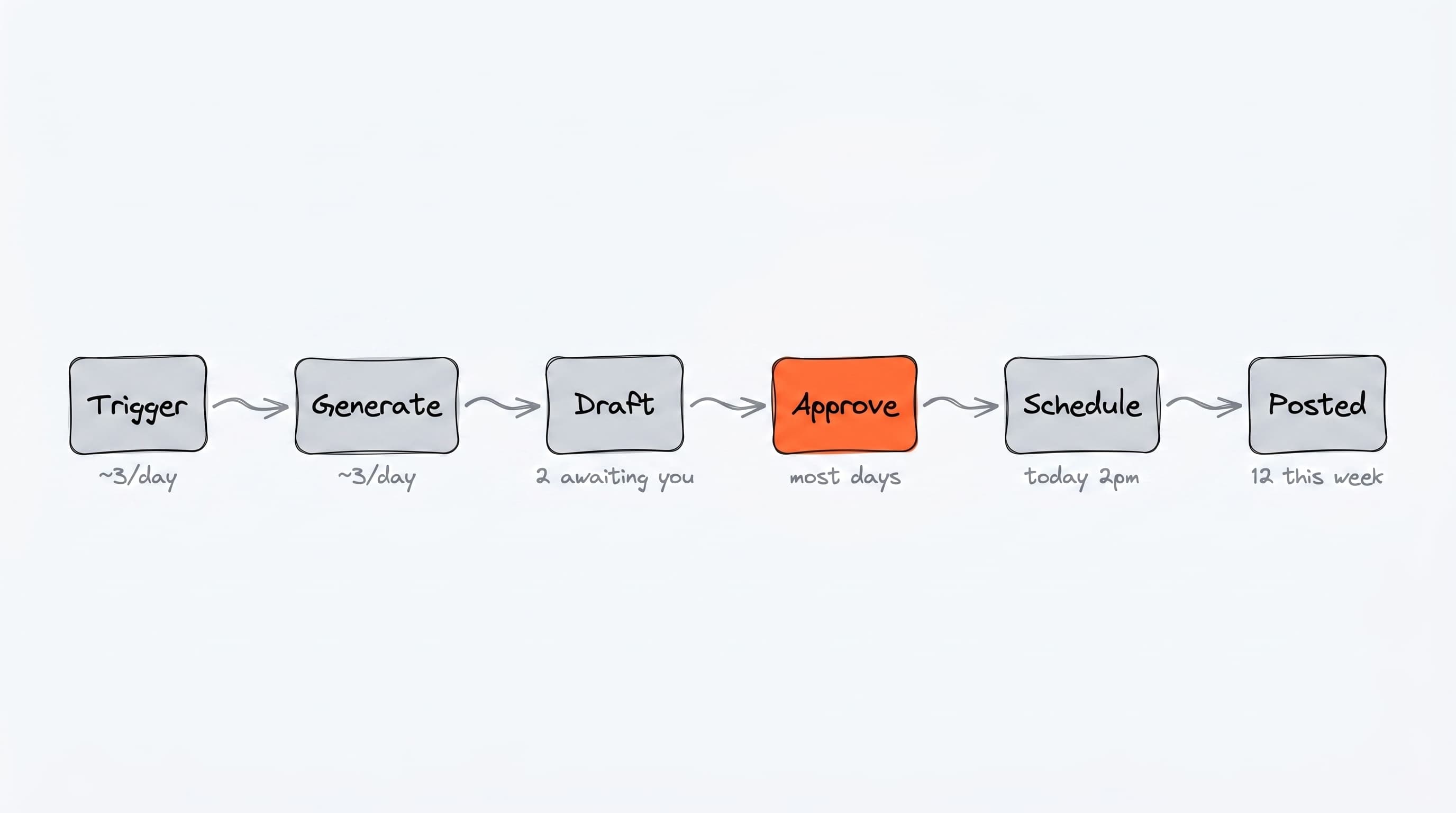
The pipeline at a glance
Every piece of content goes through the same path regardless of where it came from.
The pieces explained
Sources
A draft content item can come from many places:
- Daily generation: produces drafts for your weekly calendar slots based on your topics
- News-reactive: watches industry RSS and creates draft posts when relevant news breaks
- Auto-redistribute: turns new blog posts from your own RSS into social posts
- Campaigns: AI-designed multi-phase content plans
- Prompt bar: type a brief on the Command Center, get one piece of content
- Manual reactions: click "Create response" on any news article
You can use any combination — most users have a few sources running at once.
The Pipeline
Once a draft exists, it lives in the Content Pipeline across four tabs:
| Tab | What it means |
|---|---|
| Review | Fresh draft, waiting for your approval |
| Approved | You signed off on the content but haven't picked a time |
| Scheduled | Locked to a specific publish time |
| Published | Already live on the platform |
You move items between tabs with explicit actions (Approve, Schedule). This keeps you in control — nothing publishes until you say so.
Brand voice and content generation
Every time Borker generates content (in any source), it pulls in:
- Your brand voice config (Settings → Brand & Voice): name, mission, terms to use/avoid
- Voice attributes: formality, friendliness, clarity, brevity, technical depth
- The selected topic or context (depending on the source)
- Writing principles that encode your house style
Claude writes the content. The output respects your tone, format, and platform constraints.
Channels and routing
When content gets generated, Borker decides which channel to route it to:
- For redistribute content, the feed's selected channels
- For other content, your routing rules (Settings → Channels → Routing Rules)
- Falling back to the default channel for the platform
You can have multiple channels per platform (e.g. two X accounts) and route different content types to different accounts.
Publishing
When a scheduled item's time comes, Borker sends it to the publishing backend, which posts it to the platform. The item moves to the Published tab automatically.
You don't manage the publishing backend directly — channel connections are handled through Borker's UI via OAuth.
The daily workflow
If you turn on automation, Borker runs the daily workflow once per day at your chosen time. It executes whatever you have enabled:
- Daily generation (creates drafts for today's calendar slots)
- News-reactive (creates drafts for breaking news)
- Auto-redistribute (creates drafts from new blog posts)
All three are independent toggles in Settings → Schedule → Workflow Automation.
You can also click Run workflow on the Command Center to trigger an immediate run instead of waiting for the next scheduled time.
Borker never publishes without your approval (unless you turn on auto-approval mode, which still requires you to schedule). The automation produces drafts. You decide what becomes a published post.
Your role in the loop
Once set up, your recurring job is:
- Review the Pipeline → Review tab a few times a week
- Approve the drafts you like (bulk-friendly with checkboxes)
- Schedule the approved items (bulk-friendly)
- Improve your brand voice, topics, and writing principles as you see what works
The more you configure upfront, the less hands-on it gets.