
Workflows & Automation
How the scheduled jobs work and what you can turn on.
Borker has three independent automation loops. Each one runs on the same daily schedule but can be turned on or off individually.
Daily generation
Generates content from your topics and calendar slots.
News-reactive
Watches industry RSS feeds and creates reactive post drafts when relevant news breaks.
Auto-redistribute
Turns new blog posts from your own RSS feed into social posts across selected channels.
Where to enable them
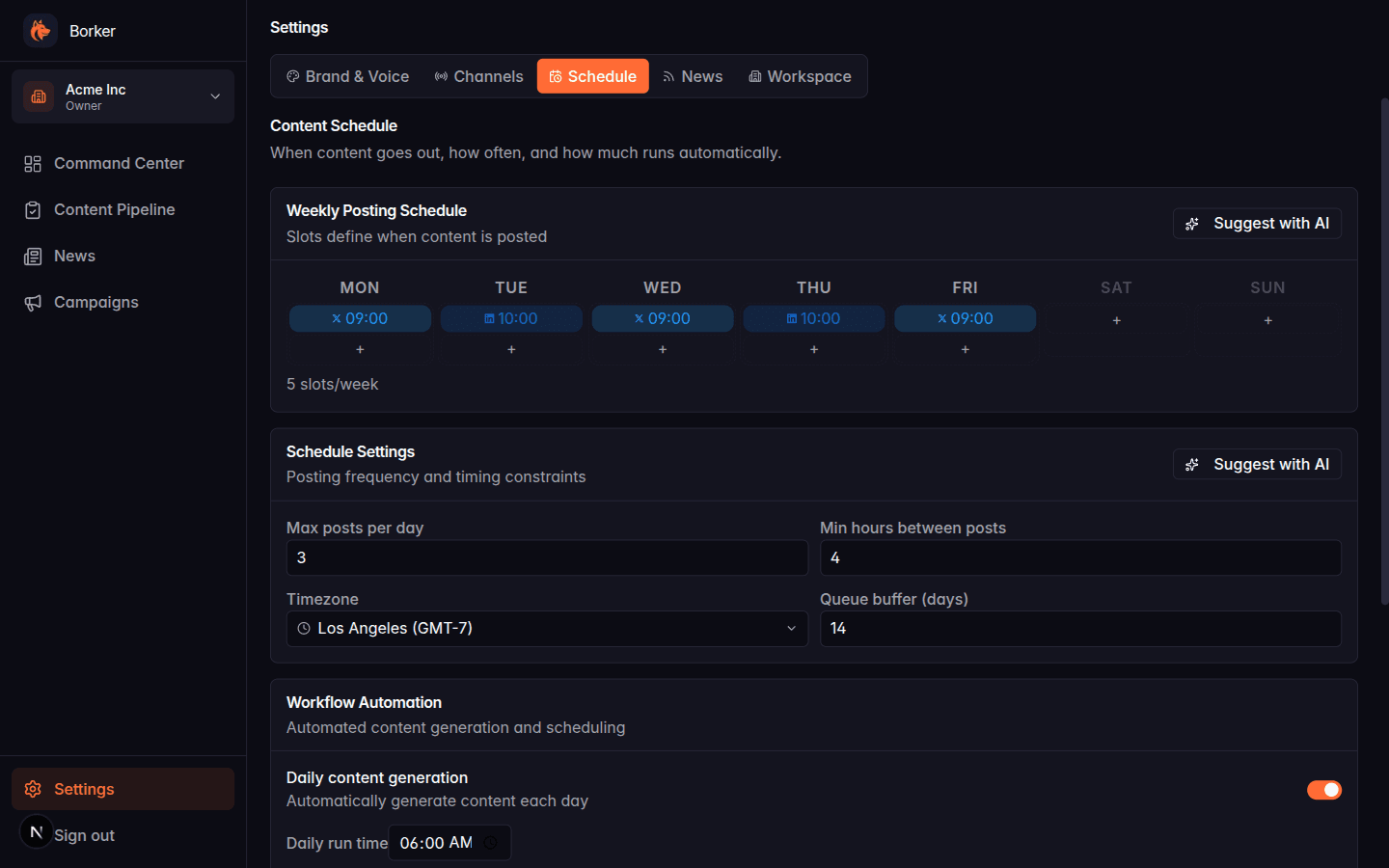
All three toggles live in Settings → Schedule → Workflow Automation. You can turn any combination on or off. The daily run time is shared — when you toggle daily generation on, you pick a time (default 6:00 AM in your workspace timezone) and all enabled automation runs at that time.
Manual triggers
The orange Run workflow button on the Command Center runs all currently-enabled automation immediately, independent of the schedule. Use it to:
- Test automation after changing settings
- Skip waiting for tomorrow's run when you want to see content now
- Recover from a failed or skipped run
Manual triggers covers this in detail.
What nothing does automatically
To be clear about what isn't automated:
- Approval: Borker never publishes content without you approving it in the Pipeline (unless you set Approval mode to Auto in Settings → Schedule, in which case drafts immediately become approved)
- Scheduling: approving something doesn't schedule it. You still need to click Schedule in the Pipeline or via bulk actions
- Publishing: once scheduled, posts publish automatically at their time via the publishing backend
Think of the daily workflow as producing raw material. It fills your Review tab with drafts. You decide what to do with them.
Why didn't a draft generate today?
If you expected drafts and got nothing, the cause is almost always one of:
- Daily generation didn't pick anything for today. No slot for today's day of the week, no topics defined, generation toggle off, no connected channel for the slot's platform, or you hit your plan's monthly generation cap. Full list on Daily generation → Why didn't a draft generate today?.
- News-reactive saw no news worth posting about. Either no industry-relevant articles published that day, or articles failed the keyword + relevance filter. See News-reactive → What makes an article "reactive".
- Auto-redistribute found no new blog posts. Either no new posts in your RSS feed since the last run, or the post was already redistributed. See Auto-redistribute → What gets skipped.
The Command Center toast after a Run workflow click summarizes which loops ran, what each one did, and whether anything errored.