
News Sources
RSS feeds, relevance keywords, and redistribution settings.
The News tab in Settings is where you tell Borker which RSS feeds to monitor and what keywords make an article relevant.
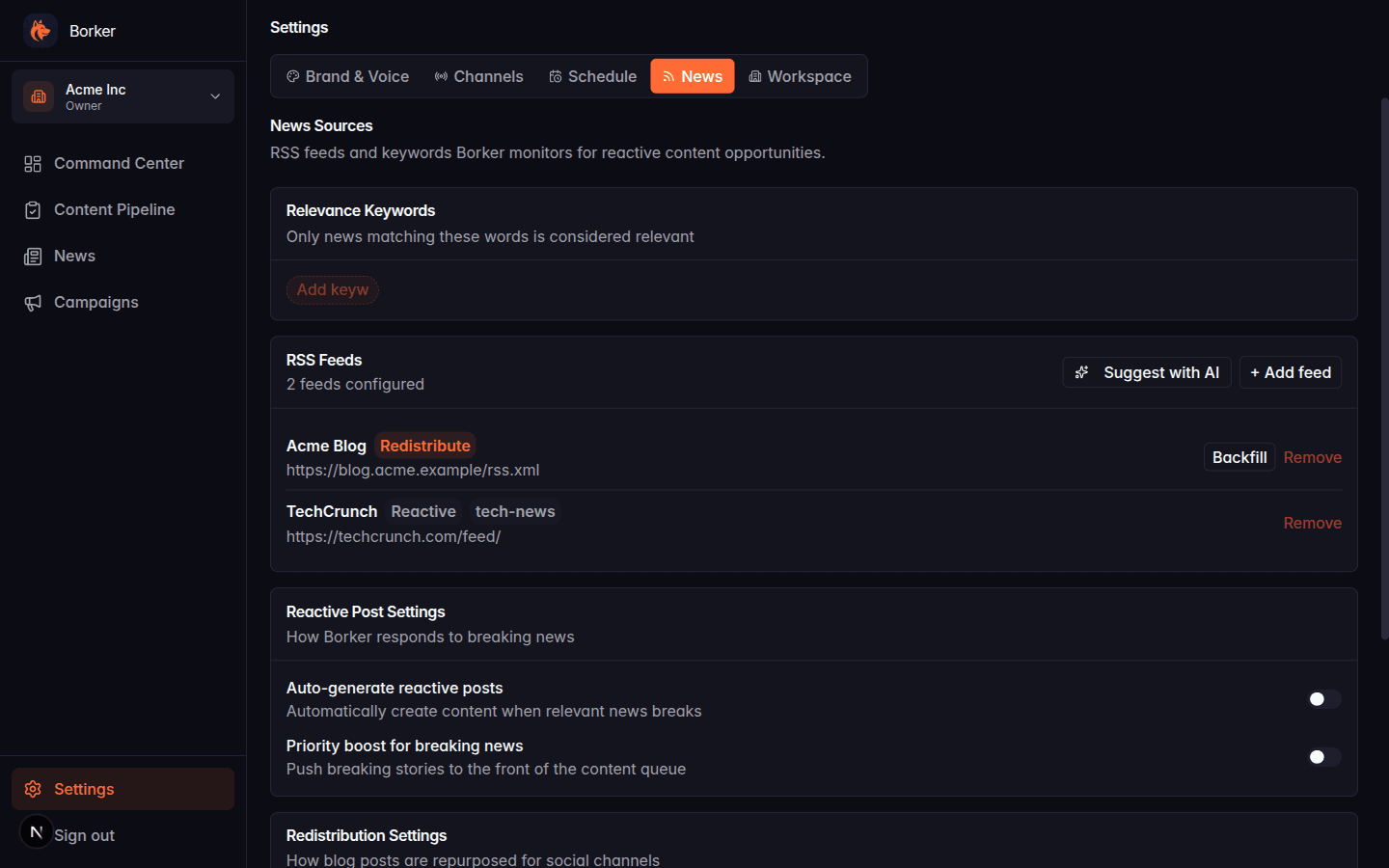
Relevance Keywords
Only articles matching at least one relevance keyword are considered for news-reactive automation. Add keywords by typing into the "Add keyword..." chip and hitting enter.
Good keywords:
- Specific to your niche (DevOps, AI agents, product-led growth)
- Action-oriented (acquired, launched, raised, pivoted)
- 5–15 total, not 100
Avoid generic keywords like "technology" or "business" — they match everything and dilute the relevance signal.
RSS Feeds
The feeds list shows every RSS source Borker monitors for this workspace. Each feed has:
- Name (display only)
- URL (the actual RSS endpoint)
- Type: Reactive or Redistribute
- Category (optional, used for organization)
- Enabled toggle
Feed types
Reactive feeds are industry news sources. Borker scores their articles against your relevance keywords and can auto-generate reactive responses if news-reactive automation is enabled.
Redistribute feeds are your own blog (or newsletters you own). Borker turns their posts into social content across selected channels. See Content Redistribution.
You pick the type when you add a feed. You can have both types in the same workspace.
Adding a feed
Click + Add feed and fill in:
- Choose Monitor for news (reactive) or Redistribute my content
- Feed name
- RSS feed URL
- Category (for reactive) or Channel selection (for redistribute)
- Save
For redistribute feeds, picking channels controls which accounts get content. Leave empty to use all active X/LinkedIn channels.
Suggesting feeds with AI
The Suggest with AI button asks Claude to propose RSS feeds based on your brand description and topics. You review the suggestions and pick which ones to add.
Backfilling a redistribute feed
Redistribute feeds have a Backfill button that lets you import historical posts into your Pipeline. See Content Redistribution.
Reactive Post Settings
Below the feeds list, the Reactive Post Settings section controls news-reactive automation:
- Auto-generate reactive posts: the master toggle for news-reactive automation (mirrors the toggle in Schedule settings)
- Priority boost for breaking news: pushes breaking stories to the front of the content queue
Redistribution Settings
This section only appears if you have at least one redistribute feed. It controls how blog posts are adapted:
- X thread length: 2 posts, 3 posts, or Auto
- Link placement on X: first or last post in the thread
- Auto-generate founder reshare: creates a second draft on the founder channel when a company LinkedIn post is generated
All feed-related automation triggers from the daily workflow. If you add a feed but automation is off, nothing will happen automatically — new articles just show up in the News tab. Turn on the relevant automation in Settings → Schedule → Workflow Automation.